QuickScale System Requirements
Installing QuickScale
- Downloading QuickScale
- Installing QuickScale
- Installing the .NET Framework
- QuickScale Portable
- QuickScale Updates
Activating QuickScale
Using QuickScale
- Opening a drawing
- Calibrating (Known scale)
- Calibrating (Unknown scale)
- Change paper size
- Taking Measurements
- The Pages and Dimensions Panes
- Printing
- Changing colours
- Calculate Pitched Roof Areas
- Add areas together
- Add room volumes together
- Calculate a room volume
- Categories
- Export dimensions to excel
- Annotations
- Counting items
- Shuffle information to suit your BoQ
QuickScale Tips
- Switch between perimeter and area
- Find a measurement
- Move a measurement point
- Keyboard shortcuts
- Check for updates
- Red text in the Dimensions column
- Scrolling and panning
- Zoom with mouse wheel
- Perimeter incomplete
Troubleshooting
Installing QuickScale
Downloading QuickScale
When you register for a QuickScale free trial you receive an e-mail containing a link to enable you to download the QuickScale installer.
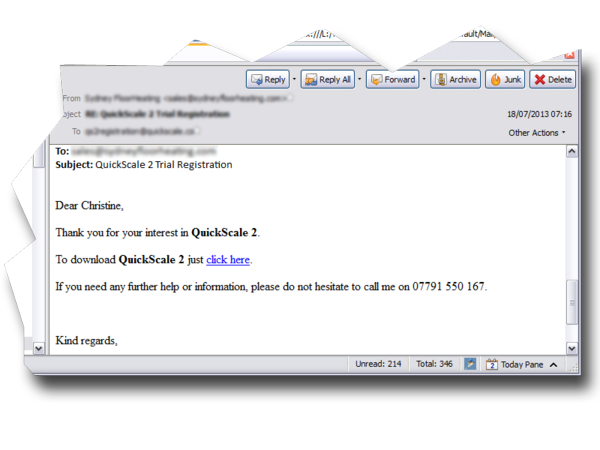
To start downloading, click the link in the e-mail. This will open your default web browser. Depending upon which web browser you use, you will either be prompted to run or save the QuickScale Installer (qs2Install.exe).
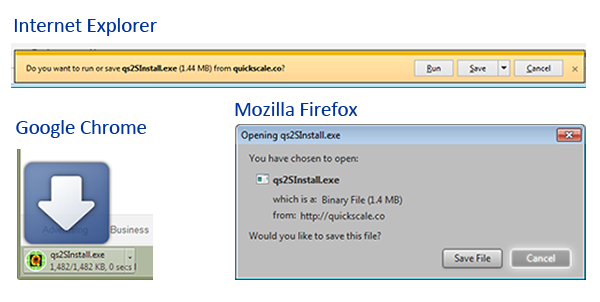
When the installer file has been downloaded you can start installing QuickScale
If nothing happens when you click the e-mail link
You may be using a computer that is connected to a workplace network which operates some kind of web filter designed to prevent you accessing websites that have not been approved by your employers. You should contact your IT department and ask them to permit access to the quickscale.co domain.