QuickScale System Requirements
Installing QuickScale
- Downloading QuickScale
- Installing QuickScale
- Installing the .NET Framework
- QuickScale Portable
- QuickScale Updates
Activating QuickScale
Using QuickScale
- Opening a drawing
- Calibrating (Known scale)
- Calibrating (Unknown scale)
- Change paper size
- Taking Measurements
- The Pages and Dimensions Panes
- Printing
- Changing colours
- Calculate Pitched Roof Areas
- Add areas together
- Add room volumes together
- Calculate a room volume
- Categories
- Export dimensions to excel
- Annotations
- Counting items
- Shuffle information to suit your BoQ
QuickScale Tips
- Switch between perimeter and area
- Find a measurement
- Move a measurement point
- Keyboard shortcuts
- Check for updates
- Red text in the Dimensions column
- Scrolling and panning
- Zoom with mouse wheel
- Perimeter incomplete
Troubleshooting
QuickScale Tips
Find a measurement
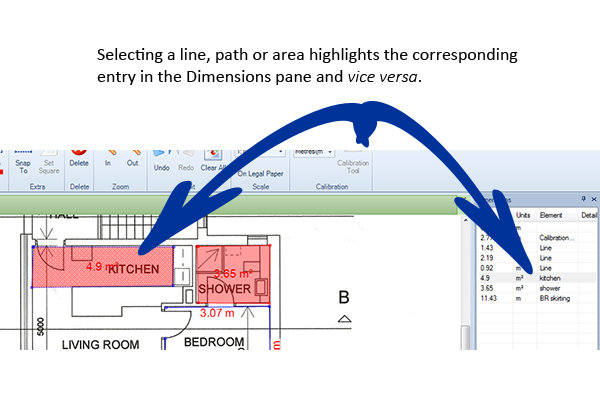
Selecting a measurement highlights the entry in the Dimensions pane. Selecting an entry in the Dimensions pane highlights the measurement.