- Downloading QuickScale
- Installing QuickScale
- Installing the .NET Framework
- QuickScale Portable
- QuickScale Updates
- Opening a drawing
- Calibrating (Known scale)
- Calibrating (Unknown scale)
- Change paper size
- Taking Measurements
- The Pages and Dimensions Panes
- Printing
- Changing colours
- Calculate Pitched Roof Areas
- Add areas together
- Add room volumes together
- Calculate a room volume
- Categories
- Export dimensions to excel
- Annotations
- Counting items
- Shuffle information to suit your BoQ
- Switch between perimeter and area
- Find a measurement
- Move a measurement point
- Keyboard shortcuts
- Check for updates
- Red text in the Dimensions column
- Scrolling and panning
- Zoom with mouse wheel
- Perimeter incomplete
Using QuickScale
The Pages and Dimensions Panes
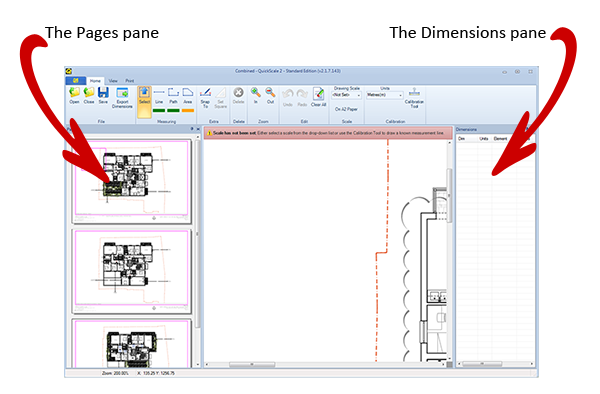
On either side of the main drawing area are two 'panes': Pages and Dimensions.
The Pages pane
The Pages pane is there to help you navigate around a multi-drawing PDF file or to help you get your bearings in a large, single drawing PDF.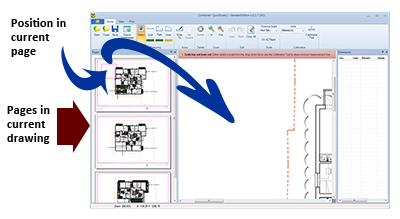
The Dimensions pane
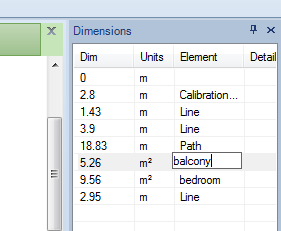
All completed measurements are stored in the Dimensions panes. The Elements and Details columns are both editable to provide element names and additional information of meaning and relevance to the end user.
Managing the panes
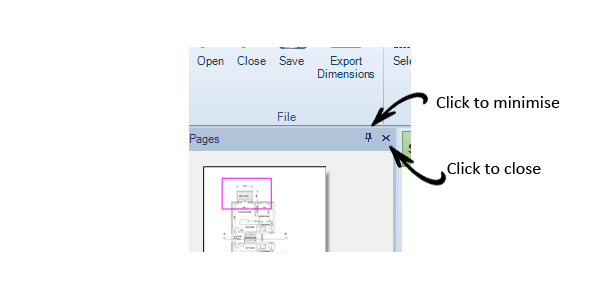
Both panes may be minimised or hidden altogether. To minimise a pane, simply click the little thumb-tack icon. To hide the pane completely, just click the little 'x' icon:
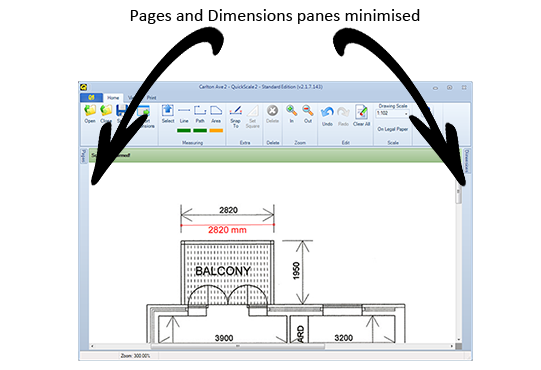
When minimised, you can see the labels 'Pages' and 'Dimensions' at the outer edges of the window:
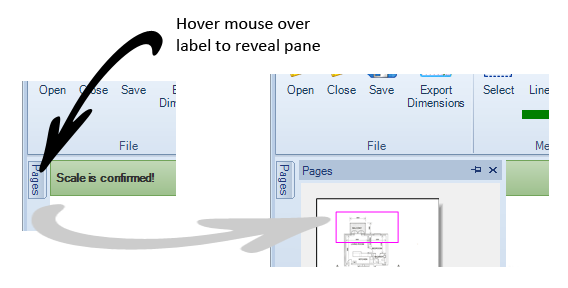
To reveal a minimised pane, just hover the mouse cursor over the relevant label:
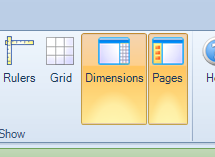
To reveal a hidden pane, you will need to select the 'View 'tab and then click the Dimensions and/or Pages button(s) in the 'Show' section. When these buttons are active, the panes are visible. You can toggle the panes' visibility just by clicking these buttons.